For data center & network teams

The right cable length, before you pull it.

Slackless measures every patch run over your real ladder racks and crossovers, picks the cable size you stock, and keeps cabinets, devices and inventory in one plan your whole team shares.

Free for one site and three people. No card needed.
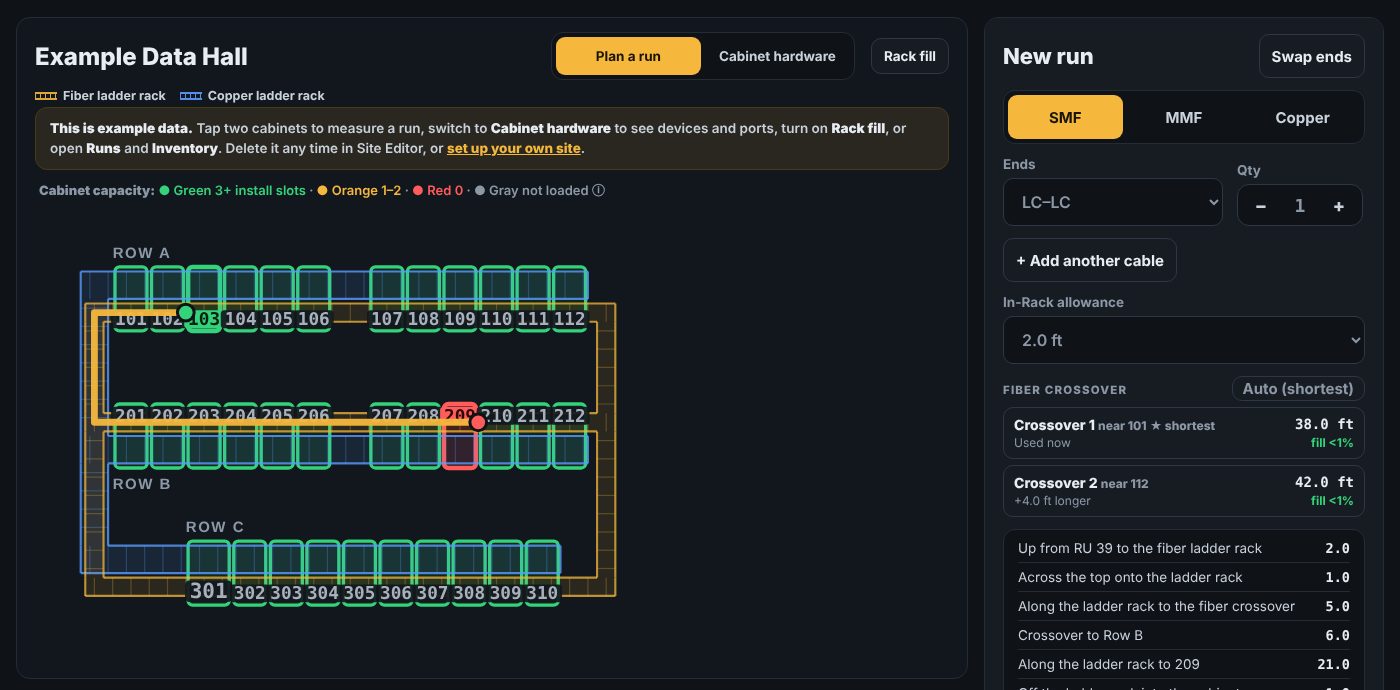
Slackless plan view: a cable run routed over the fiber ladder rack between two rows, with the length broken down step by step
RU-level rise and dropAuto shortest crossoverStocked length picked for youLive for the whole team
Why teams switch

No more guessing, no more coils of slack.

A cable that's too short means a second trip. Too long and the rack fills with slack. Slackless does the measuring the way you'd do it with a tape.

Real routes, not straight lines

Up from the RU, across the cabinet top, along the ladder rack, over the best crossover and down again. Every step is listed with its length.

Picks a cable you actually have

Matches each run to the shortest stocked length that fits, warns when stock is low, and tracks what's checked out and installed.

Cabinets, devices and ports

Every RU, every device and port in one elevation, with pictures. Runs know which port they land on and flag ones already in use.

Ladder rack fill

See how full each stretch of rack and every crossover is before you add another bundle.

Tape check that learns

Pulled one? Enter what you measured. Slackless tells you which setting is off and fixes it, so every later run is right.

Labels and schedules

Print QR labels for both cable ends, export the run schedule to CSV, or import a batch of runs from a spreadsheet.
Set up in minutes

Guided setup, one room at a time.

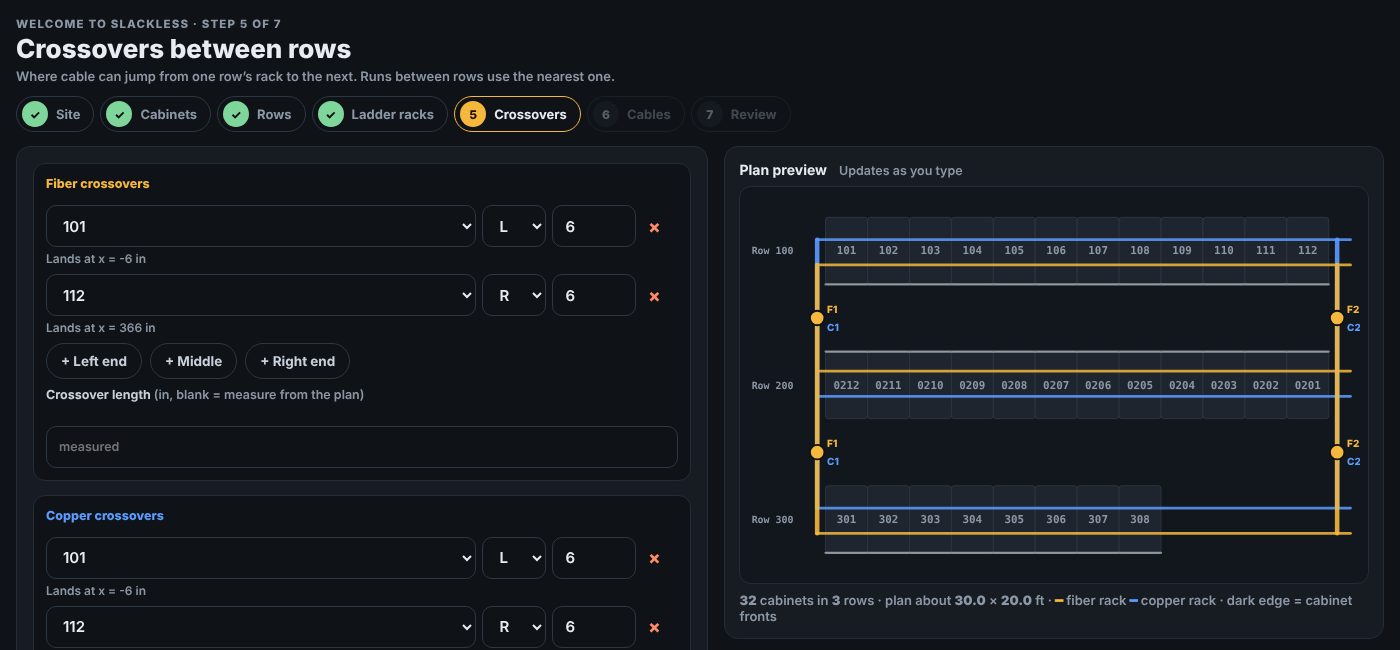
Answer seven short steps: cabinet size, rows, where the ladder racks sit and where they cross. A live plan draws as you type.

  • Common cabinet sizes in inches or millimetres
  • Rows that face each other, offsets and gaps
  • Odd cabinets: wider, taller, spaced differently
  • Your own cabinet numbering, like 0113–0101
Guided setup: placing fiber and copper crossovers with a live plan preview
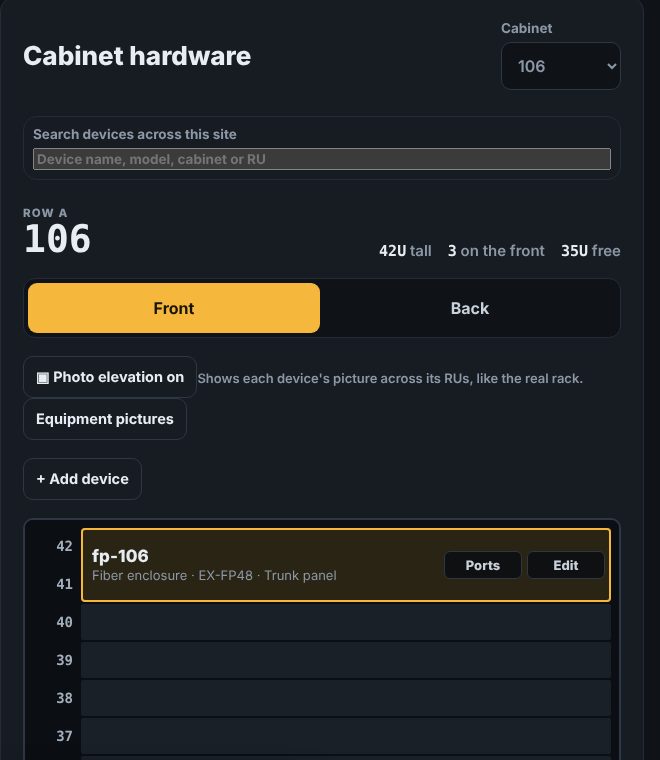
Cabinet hardware view showing devices by RU
Built for teams

One plan for everyone on the floor.

Invite your team to a shared workspace. Runs, cabinets and stock update live for everyone, from the office or a phone at the rack.

  • Owners, admins and members
  • Change history with undo
  • Works on phones and tablets
  • Your data is private to your workspace
How it works

From empty room to first pull.

Map the room

Guided setup captures cabinets, rows, ladder racks and crossovers. Or load the example data hall to look around first.

Tap two cabinets

Pick both ends and RUs. Slackless routes the run, adds in-rack slack and names the stocked cable to grab.

Pull, label, check

Print labels, check the cable out of stock, and log the tape measurement so the plan keeps getting more accurate.

Pricing

Start free. Upgrade when you add a second site.

One price per workspace, not per person.

Free

$0
  • 1 site (plus the example hall)
  • Up to 3 people
  • Every planning, hardware and inventory feature
  • Labels, CSV import and export
Start free

Pro Most teams

$29 / month per workspace
  • Unlimited sites
  • Unlimited people
  • Everything in Free
  • Cancel any time
Start free, upgrade in the app
Questions

Good to know

Do I need to measure every cabinet?

No. Enter the standard cabinet size once. Only cabinets that differ need their own width, height or spacing, and the tape check tells you if a setting is off.

Does it work for copper and fiber?

Yes. Fiber and copper each get their own ladder rack, crossovers and stocked lengths. Single-mode, multimode, MPO and RJ45 are all supported.

Can I try it without an account?

Yes. The demo opens a fully working example data hall in your browser. Nothing is saved to our servers.

Who can see our data?

Only people invited to your workspace. Each workspace is isolated at the database level, and device pictures are stored privately.

What happens if we cancel Pro?

Nothing is deleted. You keep read and edit access to everything, and you can add new sites again once you're back within the Free plan or upgrade again.

Pull the right length the first time.

Set up your first room in about five minutes.